The C Tech Web Scene Viewer is 3D, interactive software for viewing and working with C Tech Web Scene (CTWS) files created by EVS. It allows users to manipulate the view and content of 3D models quickly in a straightforward manner.
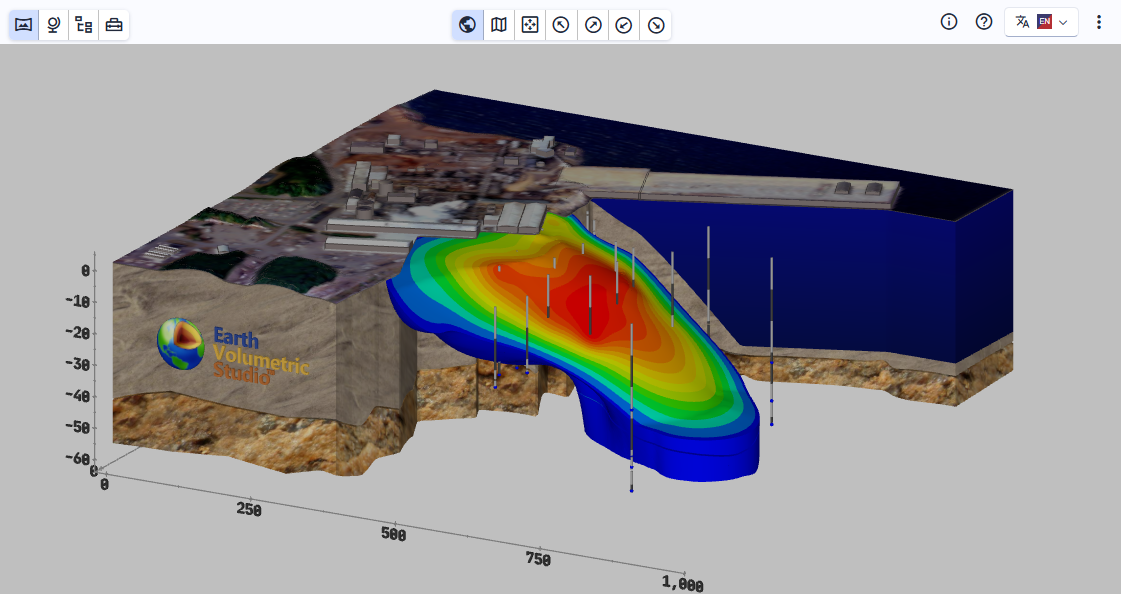
There are two versions of the Viewer:
Web Based
Our web based viewer can be accessed in several ways:
- C Tech’s Primary Viewer can always be found at https://viewer.ctech.com/
- Our EVS software customers may have their own branded viewer. Ask the organization (creator) who provides you with CTWS files.
- Our EVS software customers may also have the ability to embed C Tech Web Scenes directly into their website. This eliminates your needing to receive the .CTWS files. Instead you only need the URL to a specific file such as: Tunnel Model
Standalone Viewer for Windows 10 & 11
- Installer is available at https://ctech.com/downloads/
- Allows opening CTWS locally on the computer without internet access
Browser Compatibility
The C Tech Web Scene Viewer works with most browsers to maximize its interoperability. However, we test the viewer with the most popular browsers and therefore we recommend the following. Note, if your browser is not up to date, it may be a problem:
- Chrome
- Edge
- Safari (more limited testing)
Devices
- Windows Computers: The viewing of C Tech web scenes is most thoroughly tested on windows computers and therefore these will offer the greatest functionality. Certain features such as keyboard shortcuts may only be fully functional on Windows computers with a keyboard and numpad.
- Mac Computers should work well, especially if Chrome is used since this is our primary browser for development and feature testing.
- Tablets and Smartphones: Both Apple and Android phones are tested and new phones provide excellent performance. Keyboard shortcuts will be lacking, but most features are still accessible.
For more information visit ctech.com
Opening a CTWS and Basic Functions
How to open a C Tech Web Scene file and interact with the 3D model using the mouse
Overview of the toolbar buttons, favorites, and keyboard shortcuts
Scene-level controls including set views, snapshots, Z scale, bookmarks, and sequences
Working with the Model Tree panel to view and edit individual models in the scene
Interactive tools including Measure, Probe, and Select for working with 3D scene objects