Packaging a single file is very simple, but is seldom necessary since you will generally use the option to package all of the files in your application.
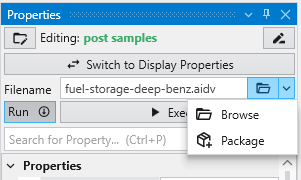
In every module with a file browser, you merely click on the drop-down button shown next to any filename property, and a Package button will appear.
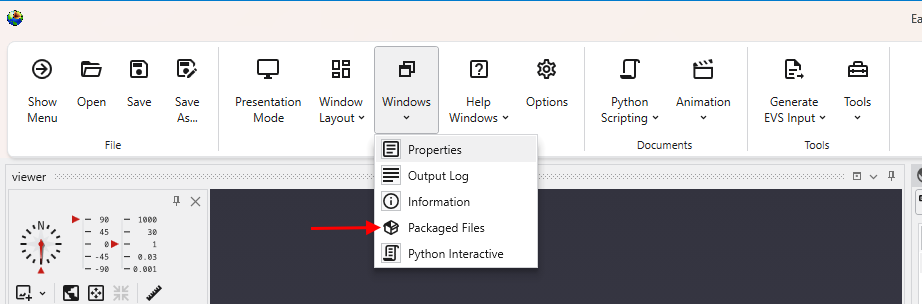
To view your Packaged Files, click on Packaged Files button in the Main Toolbar:
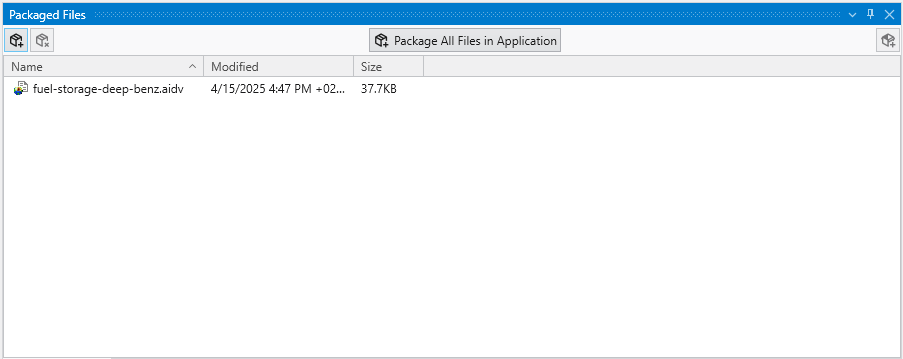
Which will open the Packaged Files window, if not open already.
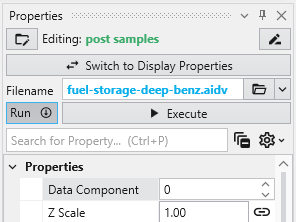
When a module is reading a packaged file, the file appears in the browser as light-blue text with no apparent path. However, if you hover over the file, you will see the path as:
package://fuel-storage-deep-benz.aidv
Once one or all files are packaged in a .EVS application, when you save the application, the data files will be saved “in” the .EVS file.
See more in the Packaged Files topic.