Reducing Complexity in Applications
C Tech recommends avoiding overly large applications. There are numerous ways to reduce the number of modules and complexity of an application, including but not limited to:
- Once the grid and estimation is complete, save those results as an EF2 file. A single read evs field module can then (typically) replace 3 to 5 modules.
- If the complexity is there to address multiple analytes and/or threshold levels in a CTWS file, scripted sequences can often reduce the number of modules by a factor of 5 or more.
Understanding Display Resolution and Scaling
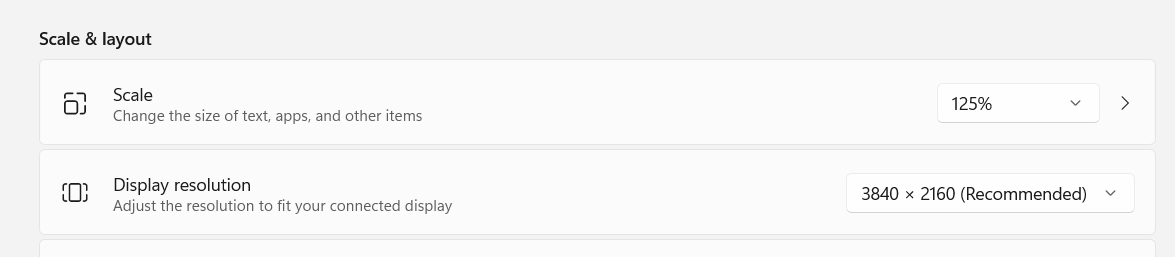
The usability of EVS is influenced by your display’s effective resolution, which is a combination of its native resolution (e.g., 4K) and the scaling setting in Windows (e.g., 150%).
Windows scaling makes text and interface elements larger and easier to read, but it reduces the available screen space for application windows. For example:
- A 4K display (3840x2160) with 200% scaling provides the same workspace as a 1080p display (1920x1080).
- A 1080p display (1920x1080) with 125% scaling provides a very low effective resolution of approximately 1536x864.
While EVS is functional on lower effective resolutions, some window layouts may feel crowded. For the best experience, especially on laptops with 1080p displays, we recommend setting the Windows scaling to 100% or using an external monitor with a higher resolution.
The Windows scaling setting can be found in the system options, for example on Windows 11: