
Try Earth Volumetric Studio at no cost. The demo version includes hundreds of sample applications you can open and explore, full access to help documentation and training videos, and the complete range of the software’s capabilities. The only limitation is that you cannot modify datasets or write your own outputs. College professors may also use the demo version for lectures.
Go to Downloads Visualize Your Data for Free
Getting Started
Follow these steps to download, install, and start exploring Earth Volumetric Studio.
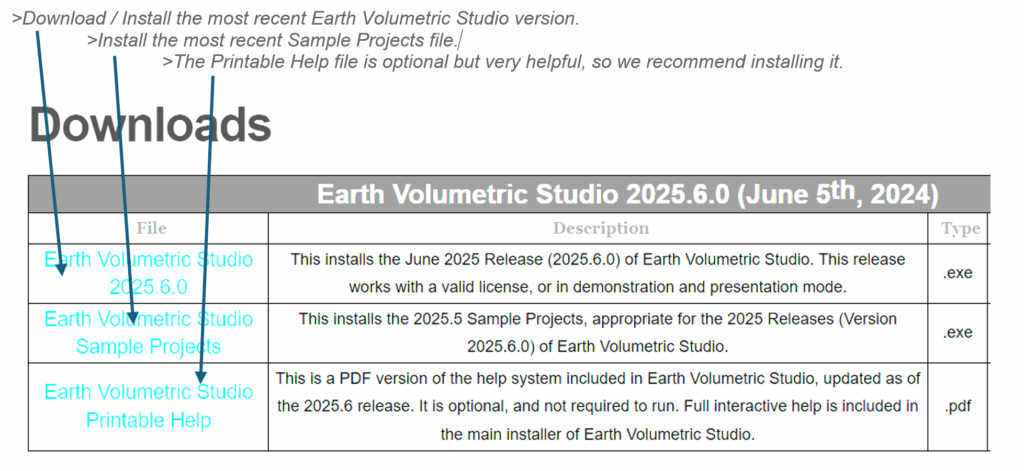
1. Download EVS — Visit the C Tech Downloads page and download the Demo version. The installer includes the C Tech License Manager, so there is no separate download needed.
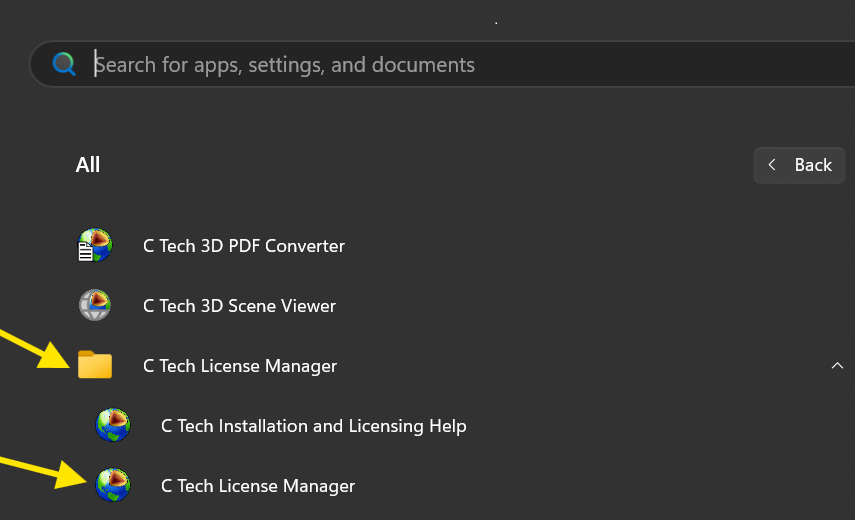
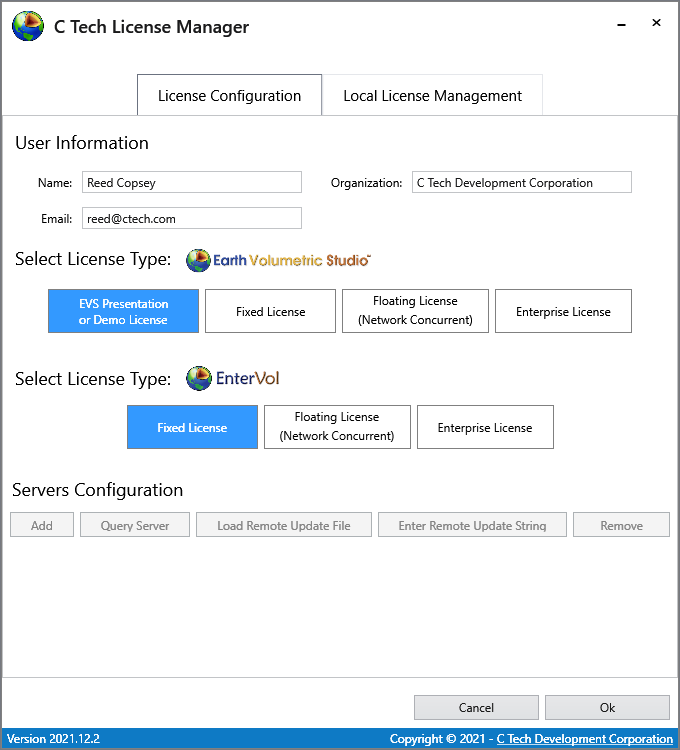
2. Configure License Manager — After installation, open the C Tech License Manager from your Windows Start menu. Enter your name, organization, and email address. This information is needed for technical support.
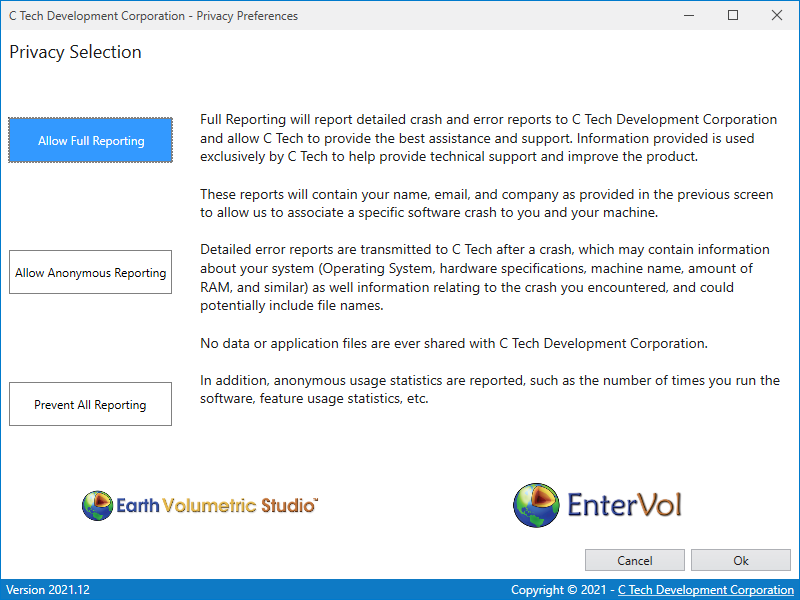
3. Select License Type — In the License Manager, choose your desired license option (e.g., “Presentation or Demo License” for the free demo) and click OK. Then select your preferred privacy settings on the next screen.
4. Explore Sample Projects — Launch EVS, click “Open an existing application,” then select “Sample Projects.” Browse the model categories and click any project thumbnail to open it.
Step-by-Step Screenshots
Download Page
Visit the C Tech Downloads page to get started:
License Manager Setup
Open the C Tech License Manager from your Windows Start menu:
Enter your name, organization, and email address, then click OK:
Select your preferred privacy settings and click OK:
Training Resources
Once you’re up and running, these resources will help you make the most of your evaluation:
EVS Training Videos — Free video tutorials covering the fundamentals of Earth Volumetric Studio, from basic navigation to building complete workflows.
Training Resources — Workbooks, module guides, and additional learning resources to help you get the most out of your evaluation.
Want to See Your Own Data in 3D?
Send us your environmental, geologic, or mining data and we’ll build a free example visualization, a fully interactive 3D model of your site, at no cost and no obligation.